
Executing Test cases
Run Test cases
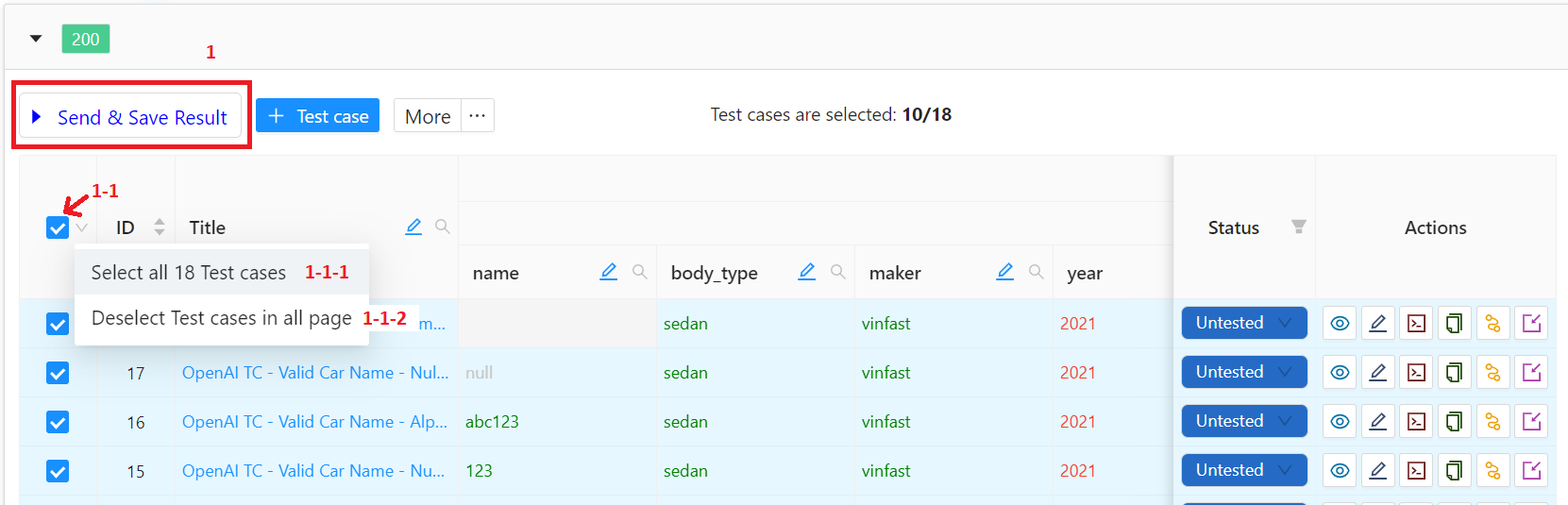
Run Test cases
-
Select / Deselect Test cases executed by:
-
Clicking on checkbox (1-1) next to ID:
- Checked → Select all Test cases on the current page.
- Unchecked → Deselect all Test cases on the current page.
- Selecting from the dropdown list (1-1-1), (1-1-2).
- Selecting an option.
-
Clicking on checkbox (1-1) next to ID:
-
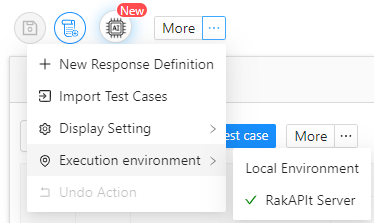
Select Execution Environment.
-
RakAPIt Server
- Sending Request from RakAPIt Server
- The maximum execution time (timeout) was 36 minutes.
-
Local Environment
- Sending Request from browser
- The maximum execution time (timeout) was 5 minutes.
-
RakAPIt Server
- Before running, make sure that changes are saved. Click Send & Save Result (1) to execute the selected Test case(s).
- When execution is done, the notification button will shine and Test cases will be updated automatically! And you can confirm the assertion results.
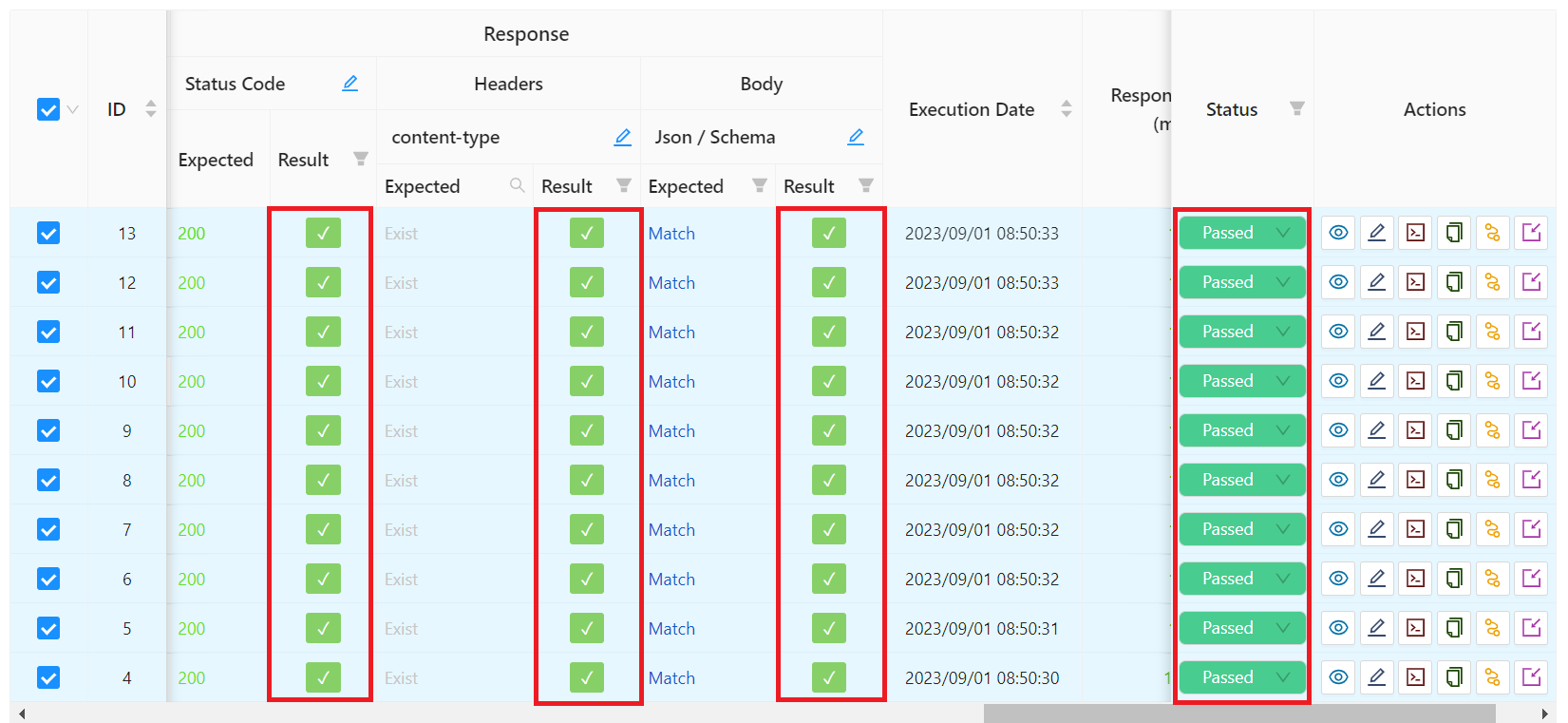
Assertion result