Assertion
Add Assertion
- Click on + Add Assertion button in "More" to show Add Assertion modal.
-
Select location for assertion:
Header or body (*).
-
Header:
-
Input header name in Key (Within 200 characters).
-
Ex: connection
{
      "access-control-allow-headers": "Accept, X-Requested-With",
      "access-control-allow-methods": "GET",
      "access-control-allow-origin": "*",
      "cache-control": "public, max-age=86400",
      "cf-cache-status": "DYNAMIC",
      "cf-ray": "55f1698b0c259485-NRT",
      "connection": "close",
      "content-encoding": "gzip",
      "content-type": "application/json;charset=utf-8",
      "date": "Mon, 03 Feb 2020 03:45:29 GMT",
      "expect-ct": "max-age=604800, report-uri=\"https://report-uri.cloudflare.com/cdn-cgi/beacon/expect-ct\"",
      "server": "cloudflare",
      "set-cookie": "__cfduid=dcb636d1359a5d7c23bb6f90d94b8e6861580701528; expires=Wed, 04-Mar-20 03:45:28 GMT; path=/; domain=.restcountries.eu; HttpOnly; SameSite=Lax",
      "transfer-encoding": "chunked"
}
-
Choose Default Value:
- Refer to request parameters
- Type value
- Does Exist
- Does Not Exist
-
Ex: connection
-
Body:
-
Property: Assert value of each property in Response Body
- RakAPIt supports assertion for XML and json body type.
- You can assert the correctness or number of object in body.
-
In the Path field, enter JSON Path or XML Path corresponding to your selected type. (*)
-
JSON Path:
Ex: id.name{ "id": { "name": "John" } } -
XML Path:
Ex: ./country[1]/rank
<?xml version = "1.0" encoding = "UTF-8"?>
      <data>
          <country name="Liechtenstein">
              <rank>1</rank>
              <year>2008</year>
              <gdppc>141100</gdppc>
              <neighbor name="Austria" direction="E" />
              <neighbor name="Switzerland" direction="W" />
          </country>
          <country name="Singapore">
              <rank>4</rank>
              <year>2011</year>
              <gdppc>59900</gdppc>
              <neighbor name="Malaysia" direction="N" />
          </country>
      </data>
-
JSON Path:
-
Select the default value: (*)
- Parameters: From the dropdown list, select an item to reference the parameter value of the request.
- In case you want to input the default value by yourself, select Value.
- Does Exist
- Does Not Exist
-
Schema: Assert schema of Response Body
- Type
-
Header:
- Click on the OK button.
Response Schema Assertion
In one response code table, there are a maximum of 8 schemas for each JSON or XML type.
-
Add/Edit/Detete schemas
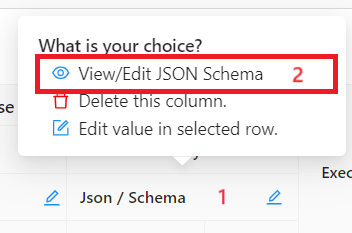
- Click the column title of 「Json / Schema」 or 「Xml / Schema」, then click 「View/Edit JSON Schema」/「View/Edit XML Schema」 to open view/edit schema modal.
-
In the modal, you can:
- Edit each schema detail in the textarea (1)
- Click button「+」 to add new schema (2)
- Click icon「x」 to delete schema (3)
- Click icon edit to change schema name (4)
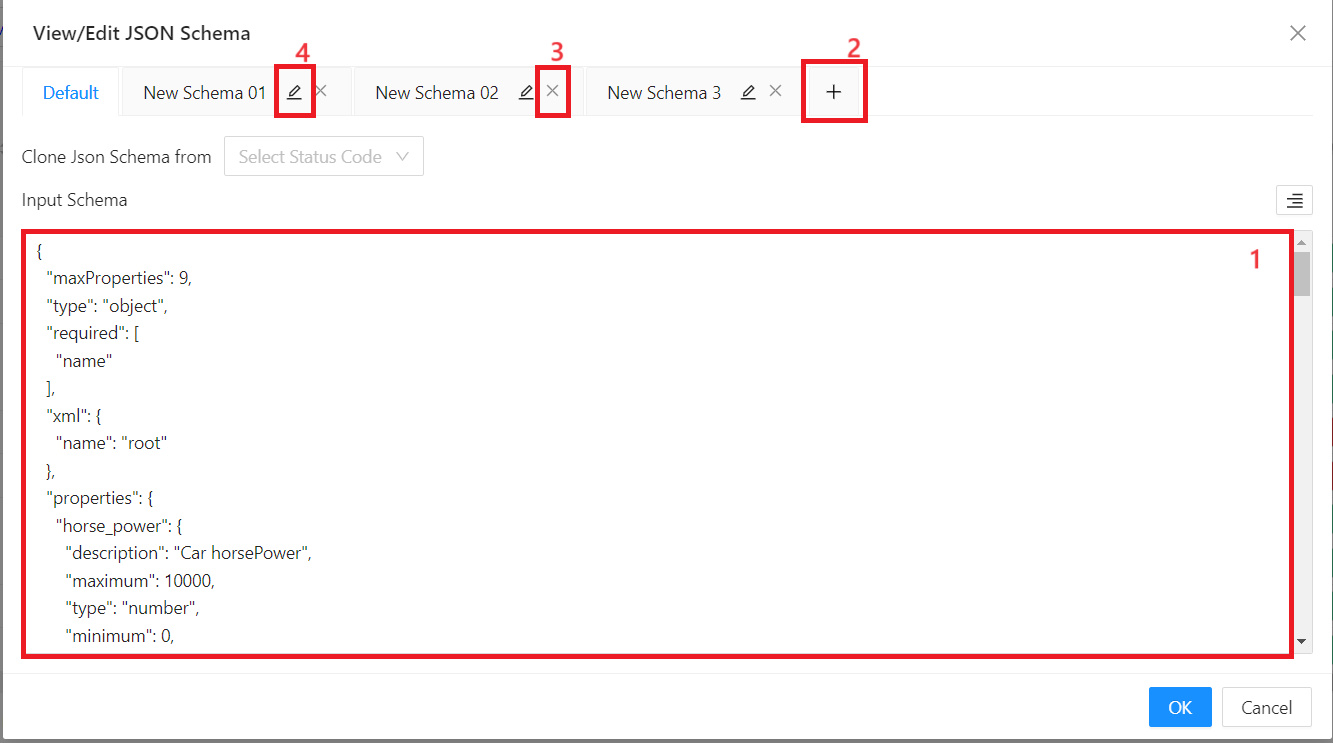
- Click 「OK」 button.
You can match test case with appropriate schema by edit test case
ReAssertion
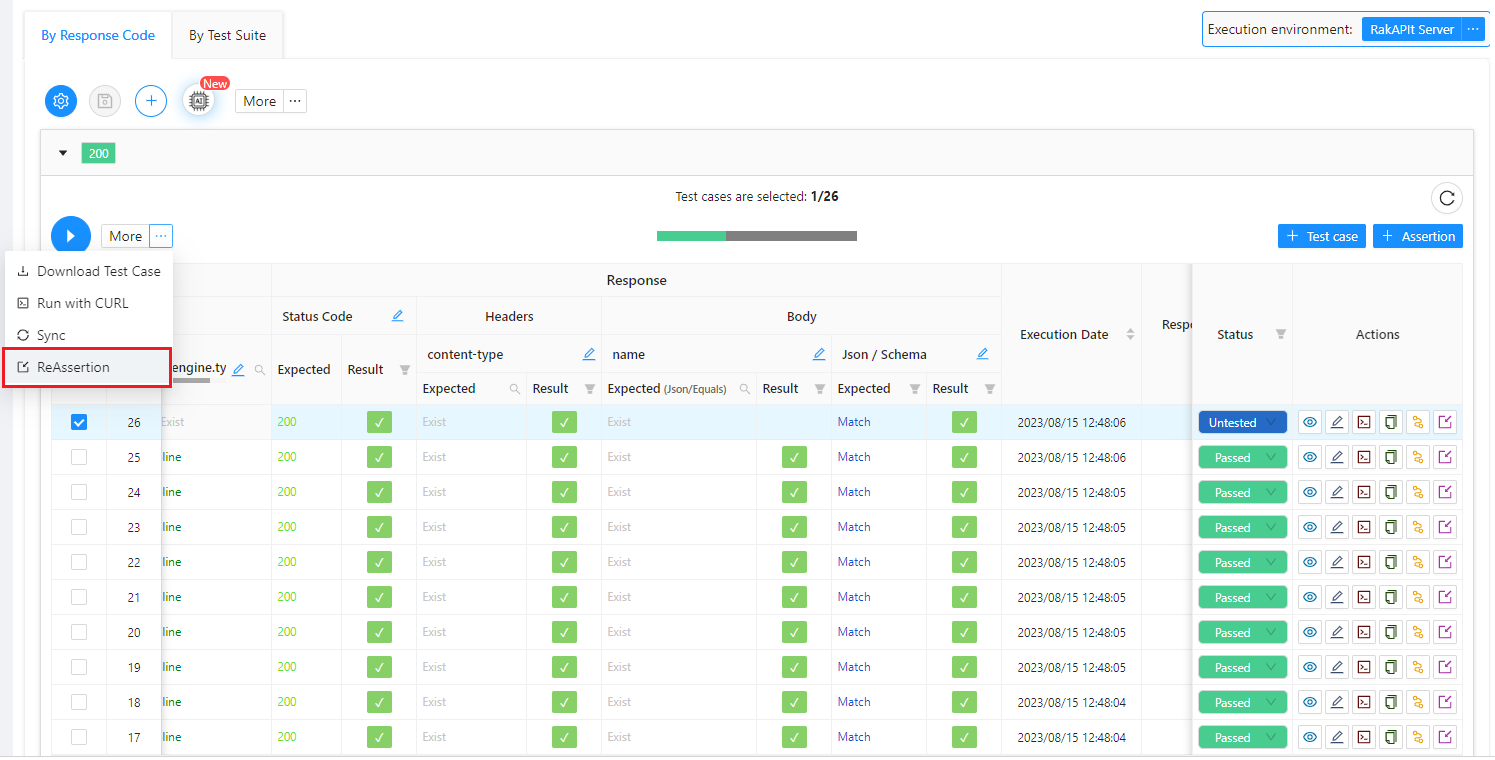
If assertions are changed for test case(s) that have already been executed, you can re-execute only the assertion without executing the test case(s) again.
-
ReAssertion test cases:
- Select Test Case(s) you want to ReAssertion
- Click the 「ReAssertion」 button
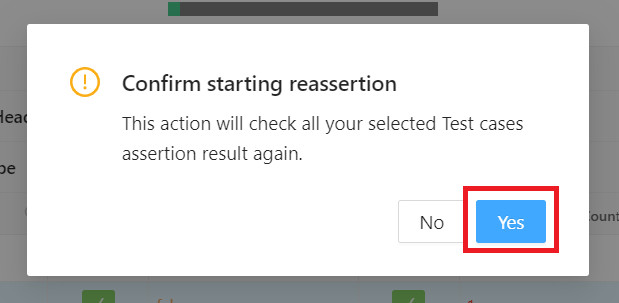
- Click the 「Yes」 button