
Setting parameter
Set path and query string parameters in the endpoint
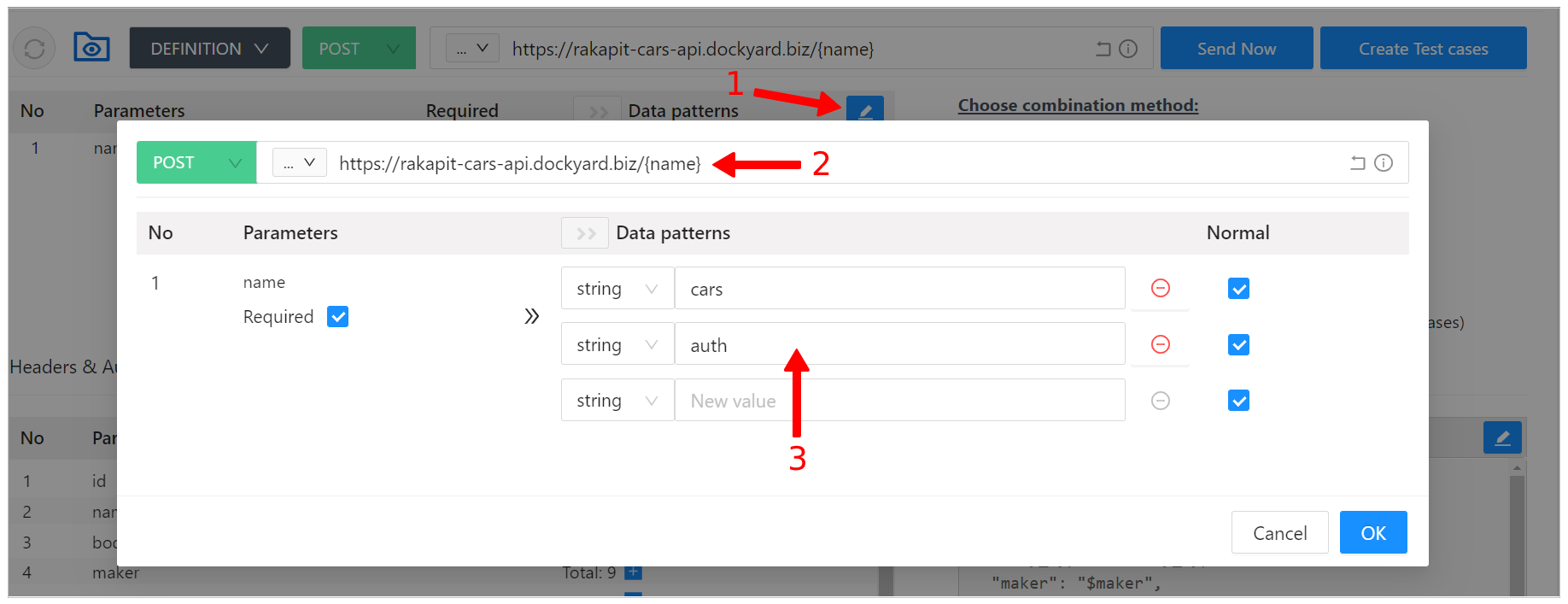
Url Input
- Click Edit button to edit data patterns URL(1) (*).
- Edit URL param Modal will appear on the screen.
- Enter an endpoint in (2) (*).
- Set the path parameters:
-
-
Format: /{parameterName}
Ex: https://rakapit-cars-api.dockyard.biz/cars/{id}/json - Set the query string parameters:
-
-
Format: ={parameterName}
Ex: https://rakapit-cars-api.dockyard.biz/cars/json?name={name} -
Enter a parameter name (key): (*)
- Maximum number of parameters: 50
- Input condition: Special characters and spaces are prohibited Ex: userId, id,...
-
Enter the value of parameter in (3) (*)
- Maximum number of values: 15 Ex: "", ai, あい, aiu, あいう
- RakAPIt supports Empty button to define the empty value.
-
Select Normal or Abnormal:
- Normal checkbox checked: Normal
- Normal checkbox unchecked: Abnormal
-
Select Required or Optional:
- Required checkbox checked: Required
- Required checkbox unchecked: Optional
- After editing, click OK to finish. Or click CANCEL to cancel the edit.
Set the request header parameters
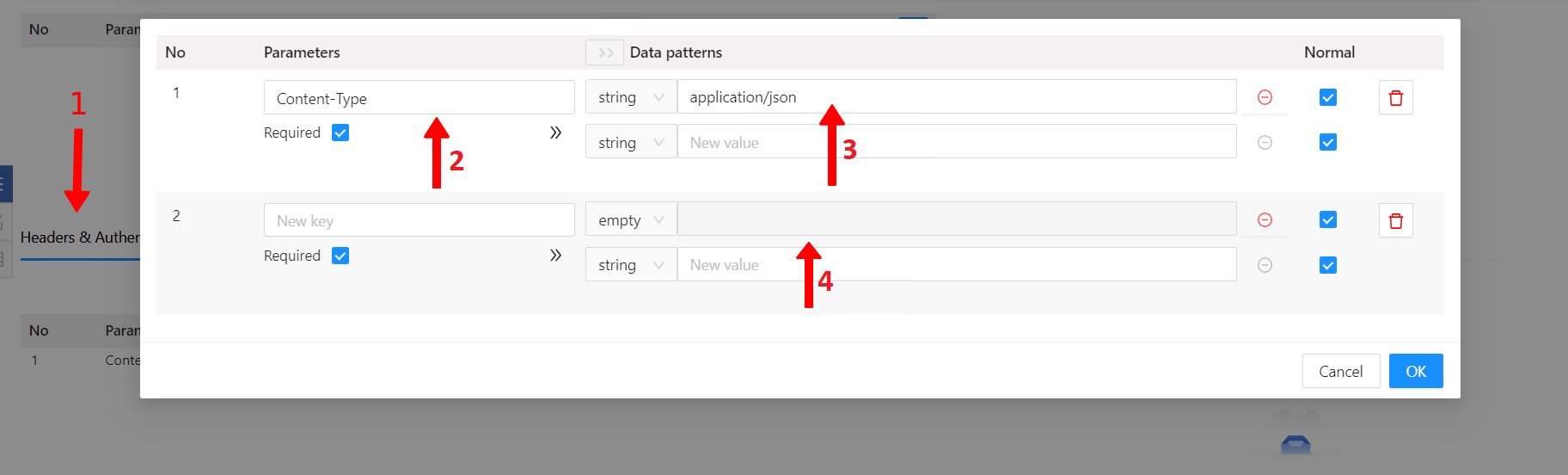
Headers Input
- Switch to the Headers & Authentication tab (1).
- Click Edit button to edit data patterns Headers.
- Edit Header param Modal will appear on the screen. Here you can enter Header Parameters and fixed values for Header.
- When entering Header Parameters
- Open Parameters tab
- Default value: Content-Type=application/json
-
Enter a parameter name (key) in (2) (*).
- Maximum number of parameters: 50
- Input condition: Special characters and spaces are prohibited. Ex: userId, id,...
-
Enter the value of parameter in (3) (*)
- Maximum number of values: 15 Ex: "", ai, あい, aiu, あいう
- RakAPIt supports Empty to define the empty value (4).
-
Select Normal or Abnormal:
- Normal checkbox checked: Normal
- Normal checkbox unchecked: Abnormal
-
Ex: If the number of characters of the Value is limited to 2 characters by a project:
- 2 characters or less: Select Normal Ex: ai, あい, aiu, あいう
- 3 characters or more: Select Abnormal Ex: aiu, 1234,...
-
Select Required or Optional:
- Required checkbox checked: Required
- Required checkbox unchecked: Optional
- When entering a fixed value for Header
- Enter Key (*)
- Enter Value (*)
- After editing, click OK to finish. Or click CANCEL to cancel the edit.
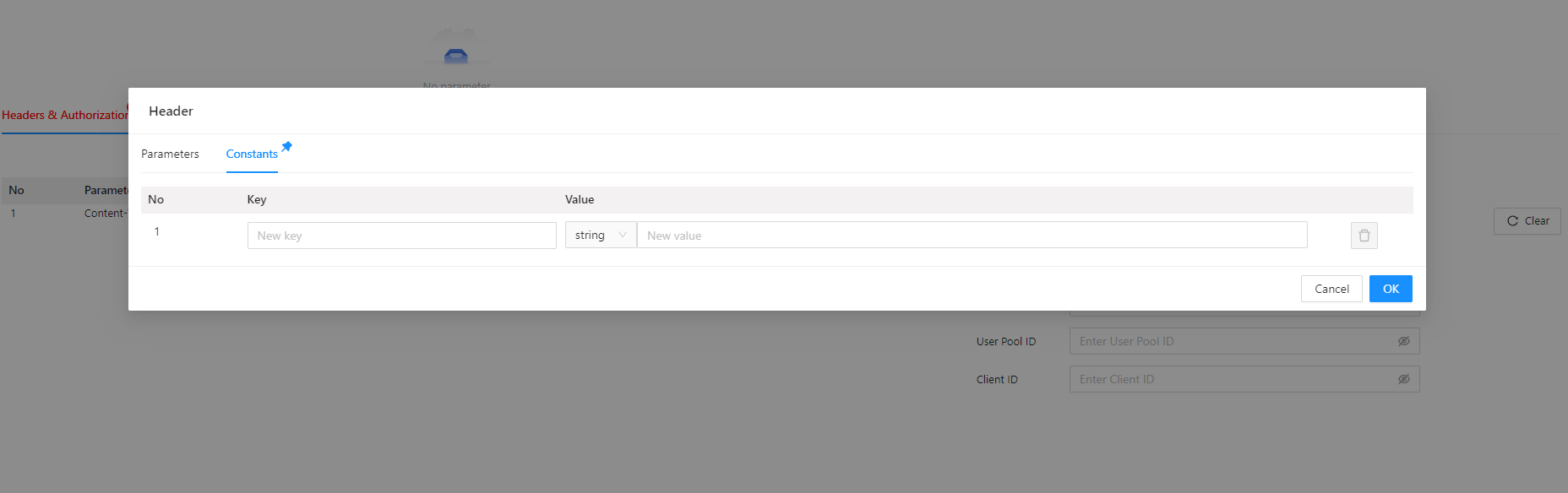
Constant Headers Input
Set the request body parameters
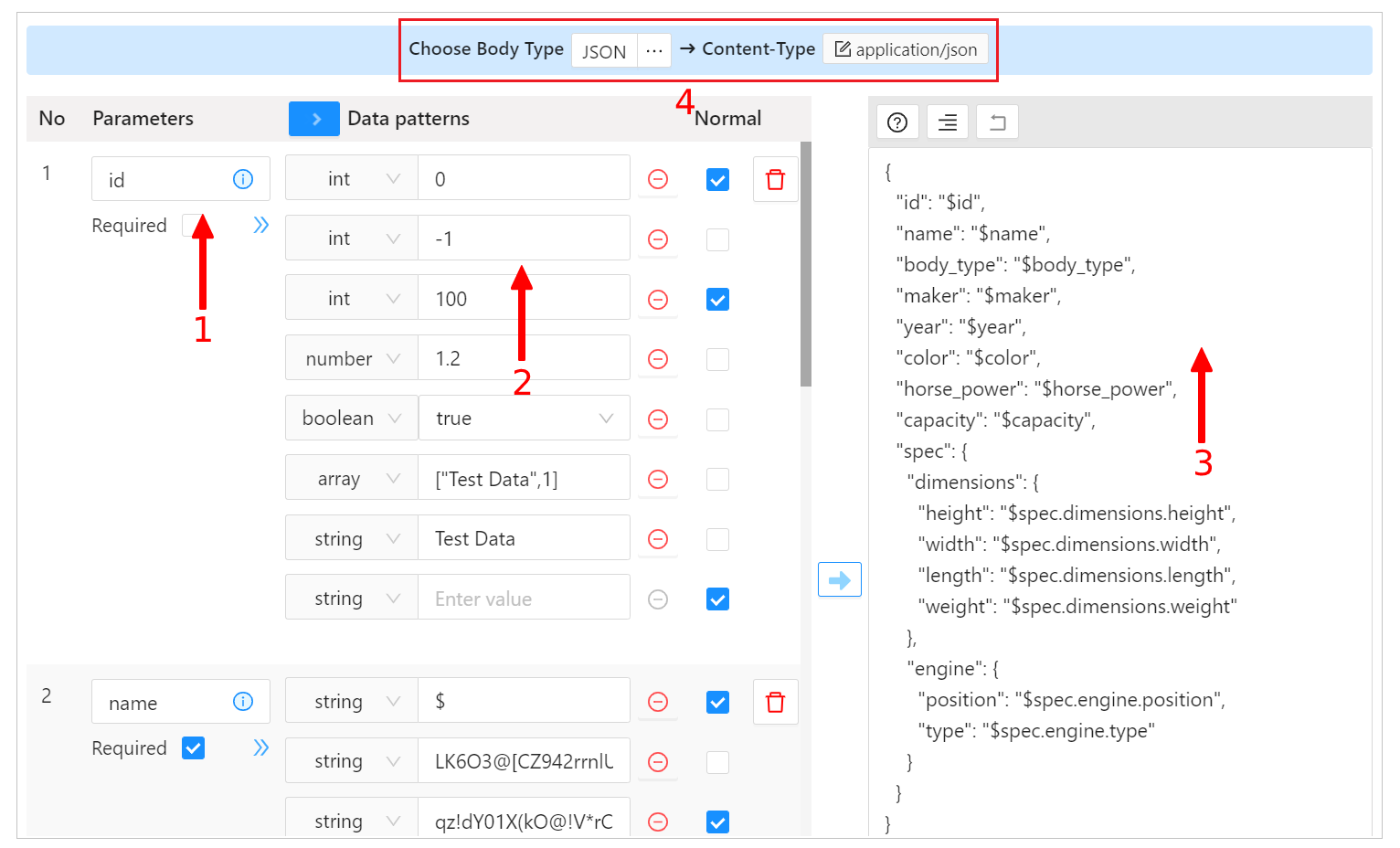
Body Input
- The Body tab will be displayed when selecting
POST/PUT/DELETE/PATCHmethod. - Switch to the "Body" tab.
- Click Edit button to edit data patterns Body.
- Modal Edit value Body will appear on the screen.
-
Enter a parameter name (key) in (1) (*).
- Maximum number of parameters: 50
- Input condition: Special characters and spaces are prohibited. Ex: userId, id, title, body,...
-
Select parameter type (RakAPIt supports string, int, number, boolean, array, empty and null) (*)
- Ex: "test", 123, 12.03, true, [1,2,3], "", null...
-
Enter the value of parameter in (2) (*)
- Maximum number of values: 15
- Ex: A string's length is not over 2: "", ai, あい, aiu, あいう,...
- Ex: An integer and the upper boundary value is 2: -1, 2, 3, 2, 3,...
-
Select Normal or Abnormal:
- Normal checkbox checked: Normal
- Normal checkbox unchecked: Abnormal
-
Ex 1: When string is selected as the parameter type, and its length is limited to 2 characters:
- 2 characters or less: Select Normal Ex: ai, あい,...
- 3 characters or more: Select Abnormal Ex: aiu, あいう, 1234,...
-
Ex 2: When int is selected as the parameter type, and >2 is set as the upper boundary value:
- When single-byte numbers are 3 or more: Normal Ex: 3, 4, 100,...
- When single-byte numbers are 2 or less: Abnormal Ex: -1, 0, 2,...
- Double-byte numbers (character strings): Abnormal Ex: 0, 2, 3,...
-
Select Required or Optional:
- Required checkbox checked: Required
- Required checkbox unchecked: Optional
-
Enter Body format in (3) by this way: (*)
-
RakAPIt has 3 types of Request Body : JSON, XML, TEXT.
When selecting Body type, the Content-type will also automatically change to match the type in Body.
Enter Body format in (4) by this way: (*) Enter a valid json, which uses "$ + parameter name" as a parameter, and has the same format with your API body.
Ex:{ "userId": "$userId", "body": "$body", "title": "$title" } - Please use the Generate function to save time.
- Format JSON/XML help you align/beautify your body format.
-
RakAPIt has 3 types of Request Body : JSON, XML, TEXT.
- After editing, click OK to finish. Or click CANCEL to cancel the edit.
Automatically generate test data
If your project has imported a swagger operation, when creating new test object from operation, in the sense of suggestion, the parameters and their value pattern, will be filled in automatically.
- Click Generate Data patterns button.
- Select any key parameter.
- Click OK button.
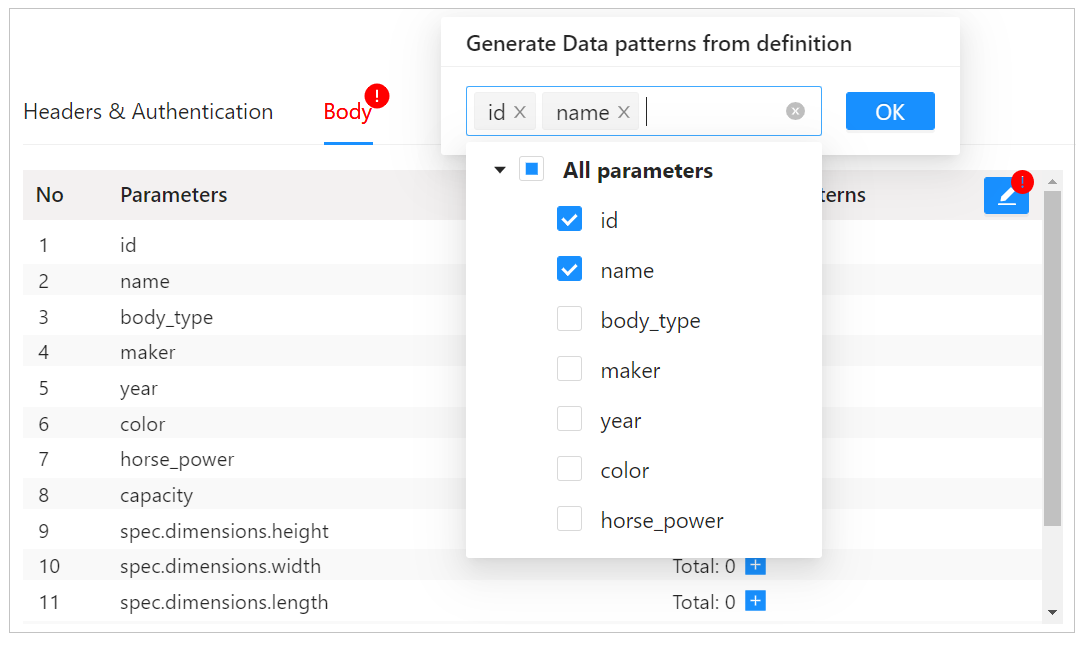
Generate test data