
Creating Test cases
Main Flow
The main flow of creating Test Cases when creating Test Object has 6 steps.
Click 「+ Test Object」 button to open create modal.

-
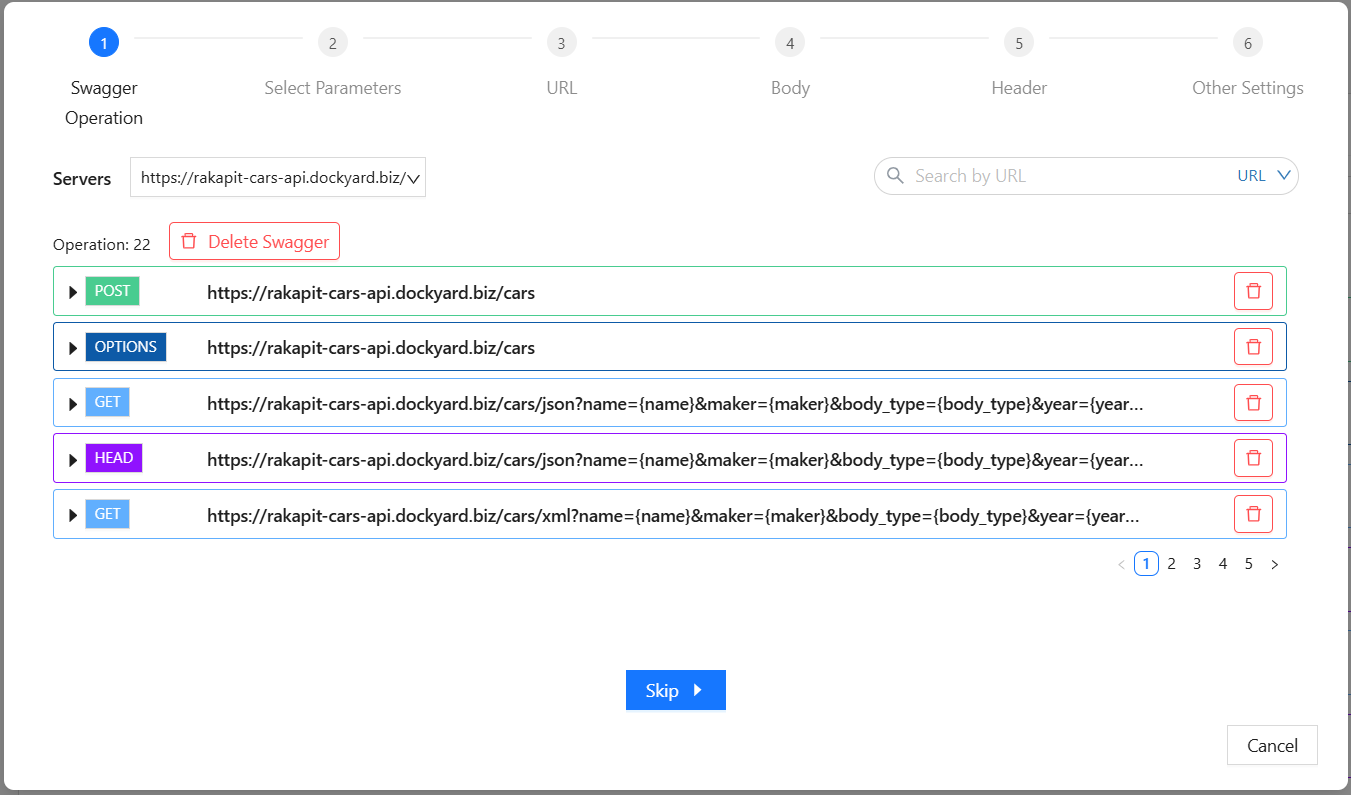
Step 1: Swagger Operation
In this step, you can choose the swagger operation that you want to use to create Test Object.
Click 「Skip」 button if you do not want to use any operation.
-
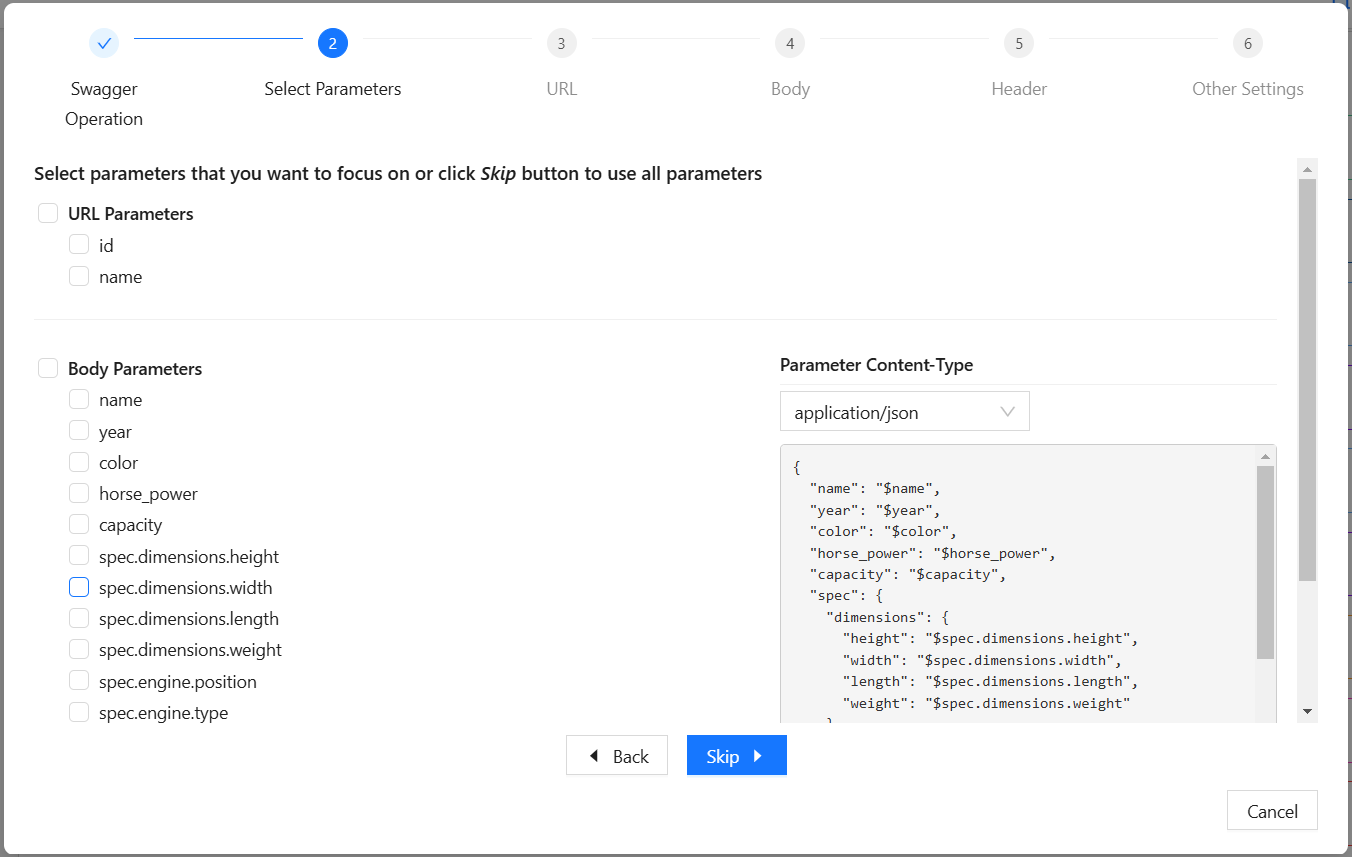
Step 2: Select Parameters
Choosing the parameters that you want to focus on or click 「Skip」 button to use all parameters.
If you do not choose any operation in Step 1, this step will be skipped automatically.
-
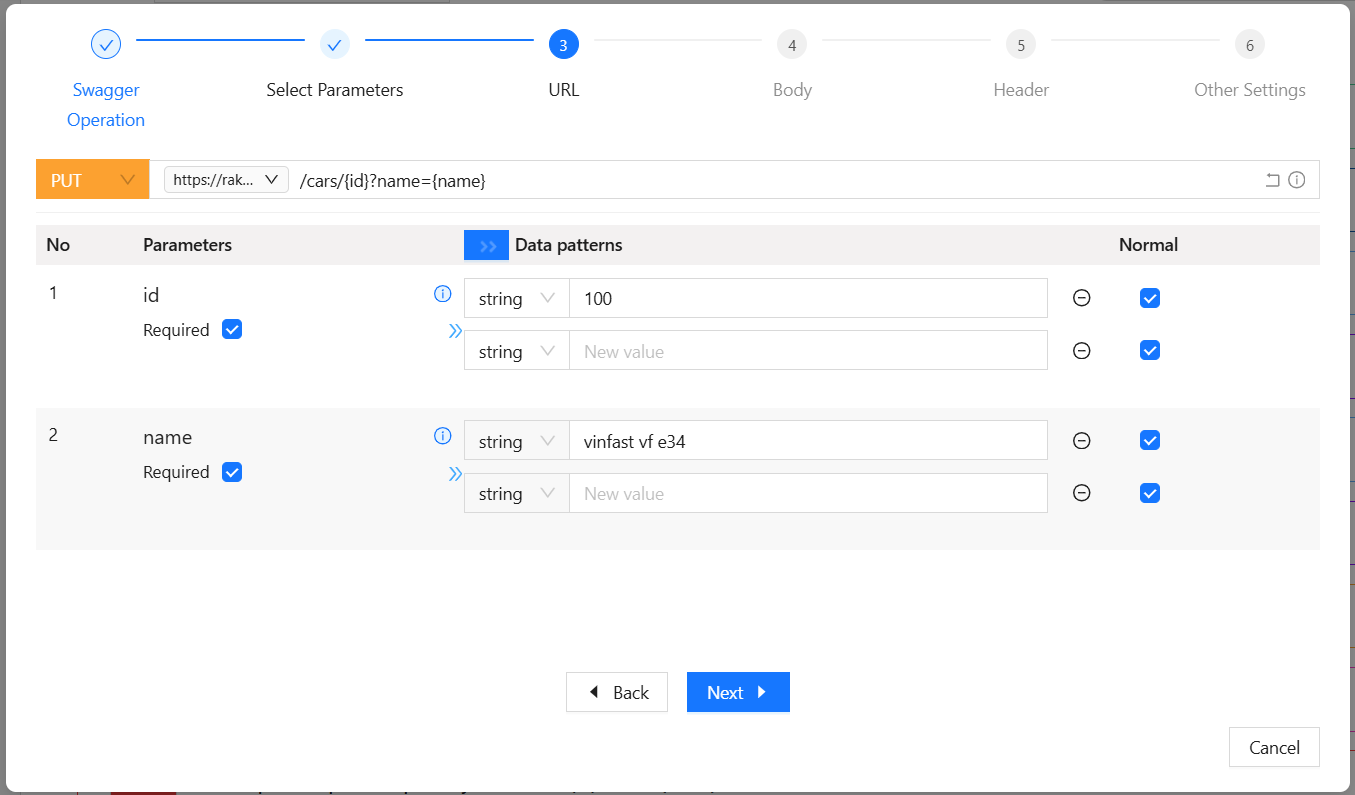
Step 3: URL
Setting url parameters and API's method.
-
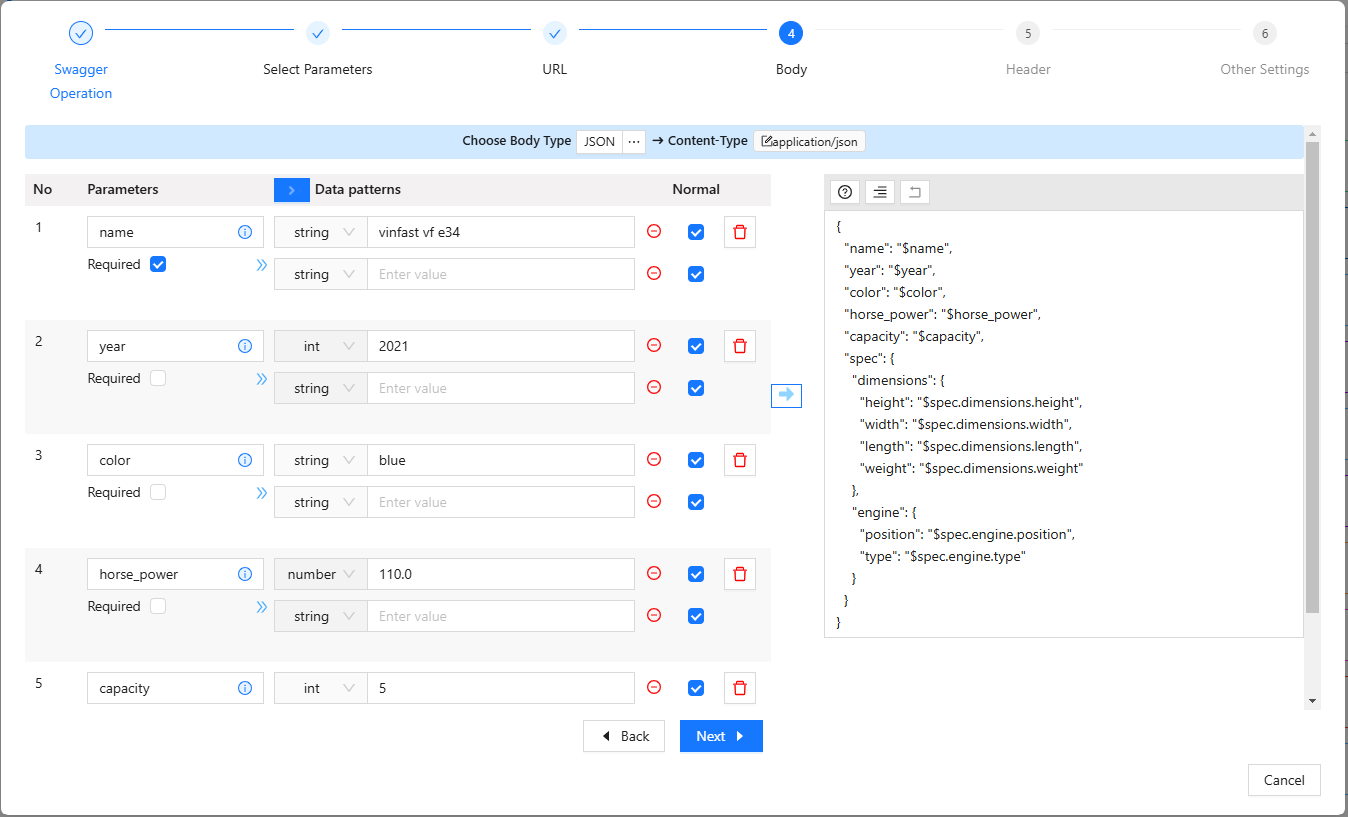
Step 4: Body
Setting body parameters.
If the method of api is one of "GET, HEAD, OPTIONS", this step will be skipped automatically.
-
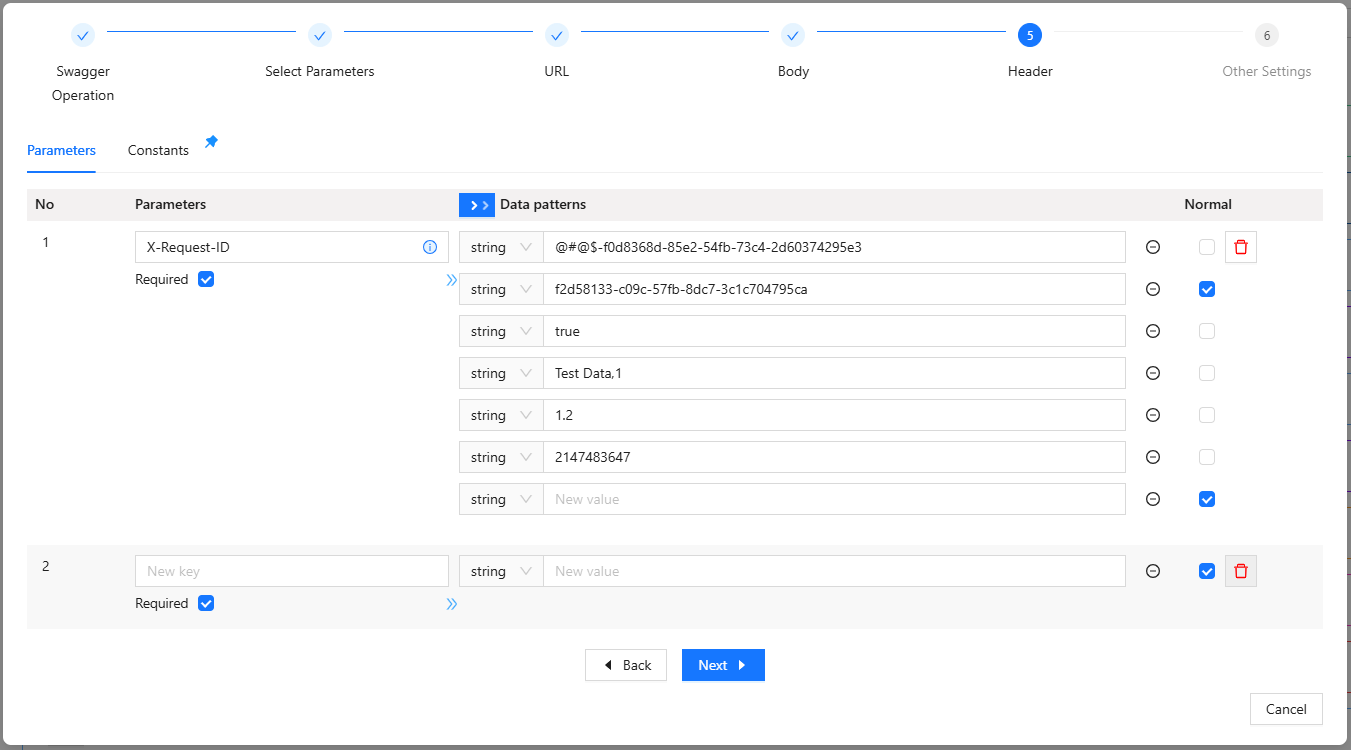
Step 5: Header
Setting header parameters and header constants.
-
Step 6: Other Setting
Entering Test Object name, setting authorization, and choosing method create
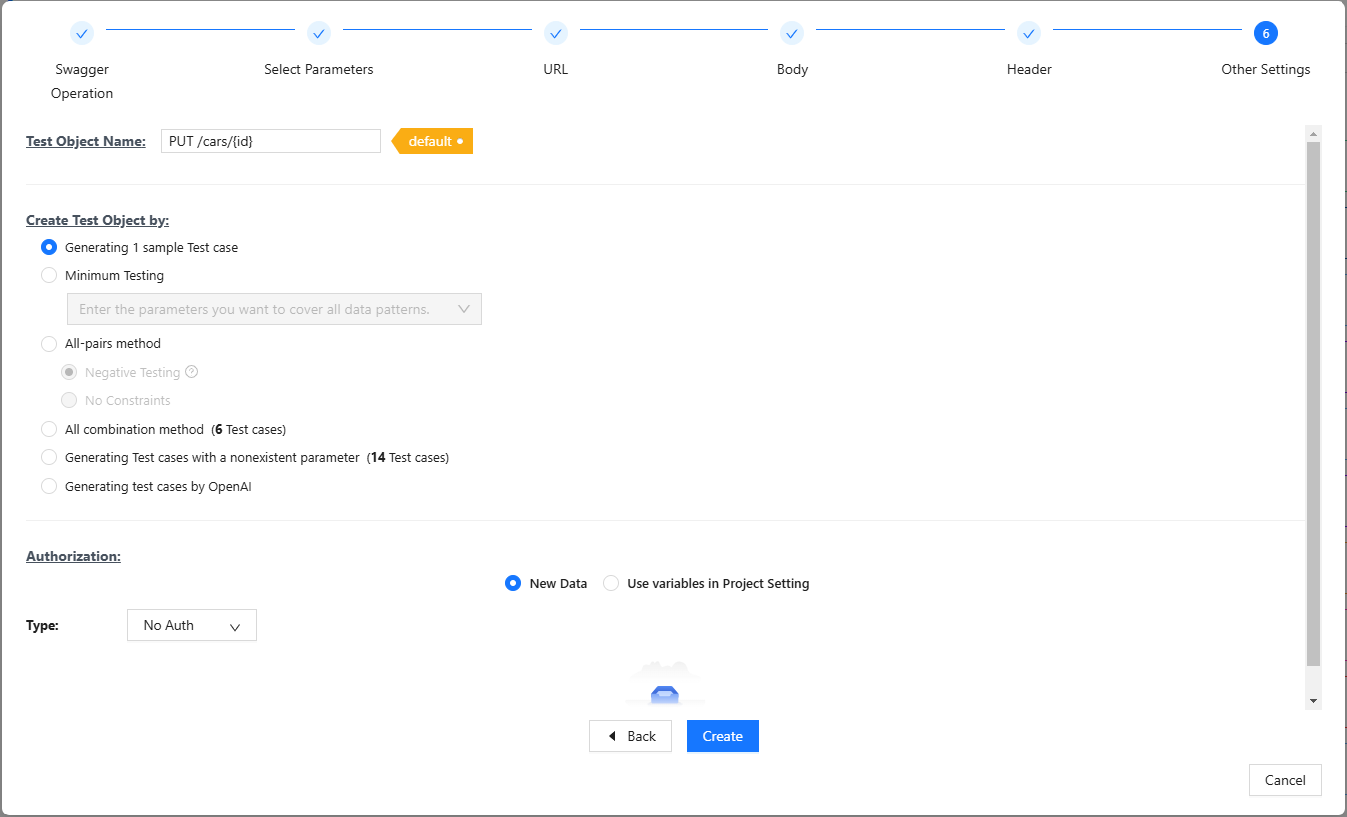
After setting all information, click 「Create」 to create Test Object.