
Setting authentication
Set the authentication information
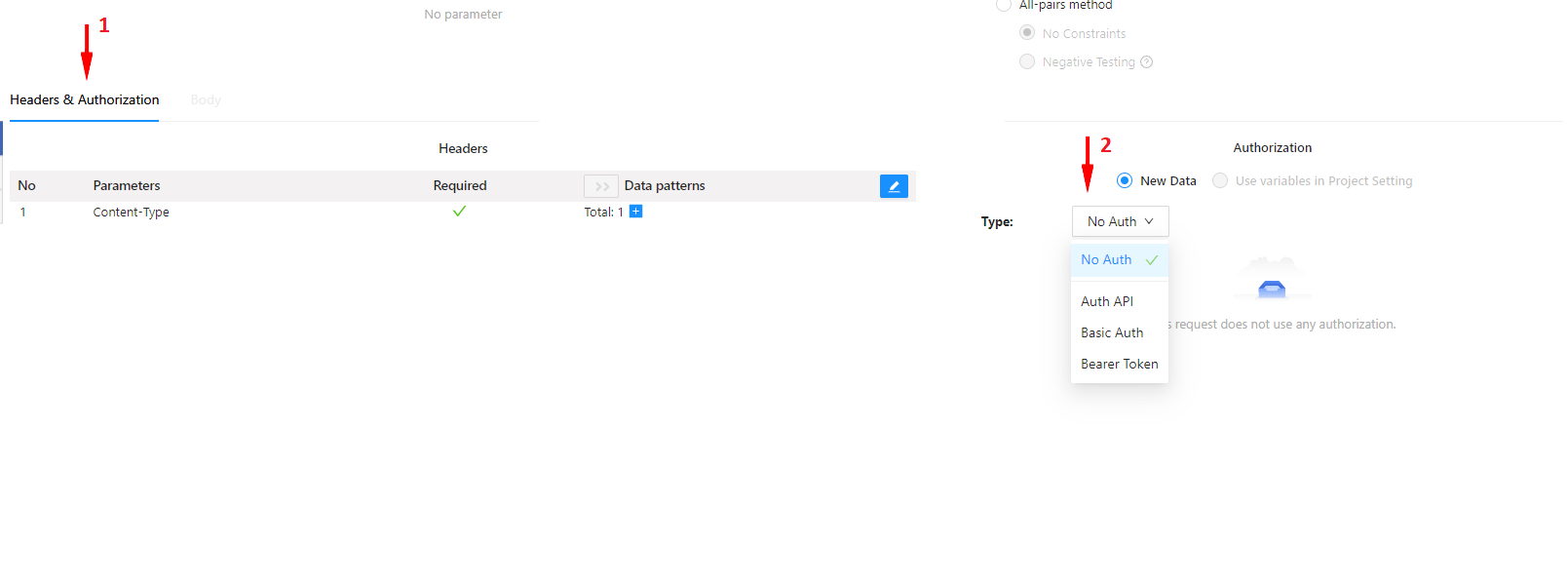
Authentication information
- Switch to the Headers & Authentication tab (1).
- Select No auth / Basic Auth, Bearer Token, AWS Cognito or Auth API in (2). (Default: No Auth)
-
When selecting Basic Auth:
-
Enter Basic ID within 100 characters (*)
Ex: test,...
-
Enter Basic Password within 100 characters (*)
Ex: password,...
-
Enter Basic ID within 100 characters (*)
-
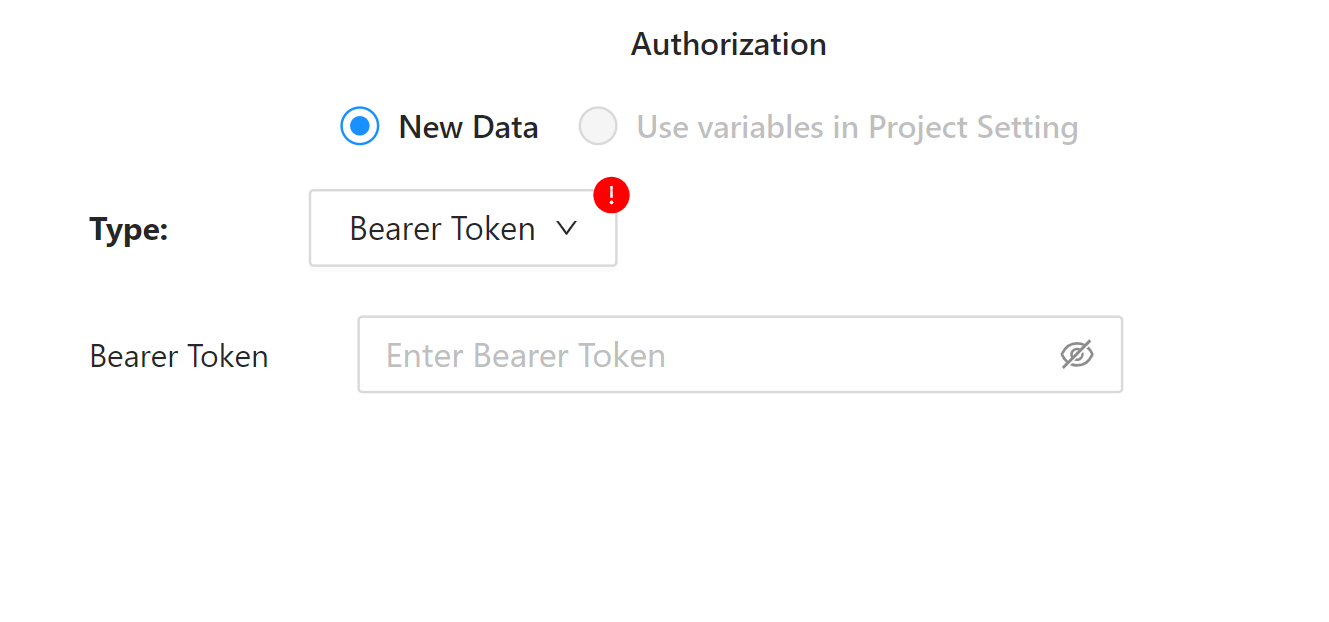
When selecting Bearer Token:
-
Enter Token(*)
Ex: When setting Token:xxxx, the following Header will be added to Request.
Authorization: Bearer xxx
-
Enter Token(*)
-
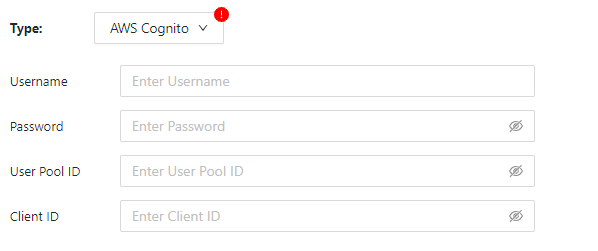
When selecting AWS Cognito:
- Username input: User name used when logging in (*)
- Enter Account Password : Password to use when logging in(*)
- User Pool ID input: User Pool ID of AWS Cognito (*)
- Client ID input: Client ID of AWS Cognito(*)
-
When selecting Auth API, the input form will appear on the screen:
-
Select either the POST or GET method (*)
- GET: Request Body cannot be entered (grayed out)
- POST: Request Body can be entered
-
Enter Auth API in (1) (*)
- Input condition: URL format, within 2000 characters
- Ex: https://rakapit-cars-api.dockyard.biz/cars/json
-
Enter Request Headers in (2)
- Input condition: 1 level json format, within 5000 characters
- Ex: { "Content-Type": "application/json" }
-
Enter Request Body in (3) (when selecting "POST")
- Select method POST
- Input condition: json format, within 5000 characters
- Ex: { "id": 133, "user": "Test" }
-
Enter token path in (4) (*)
- Input condition: json path format, within 500 characters
- Ex: $.id, $.accessToken
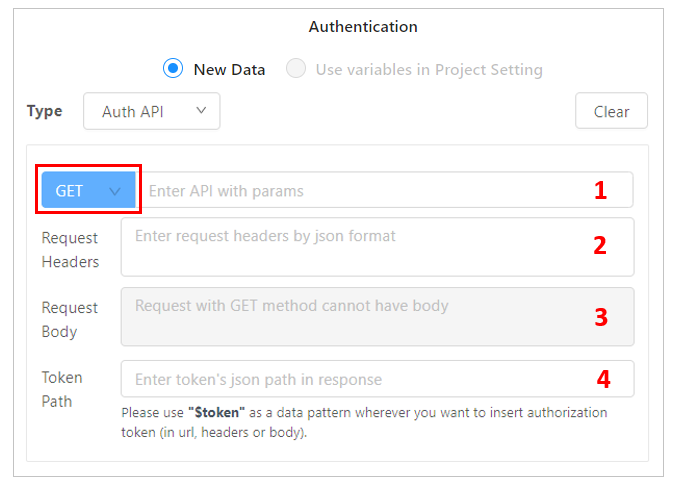
Authentication API (GET)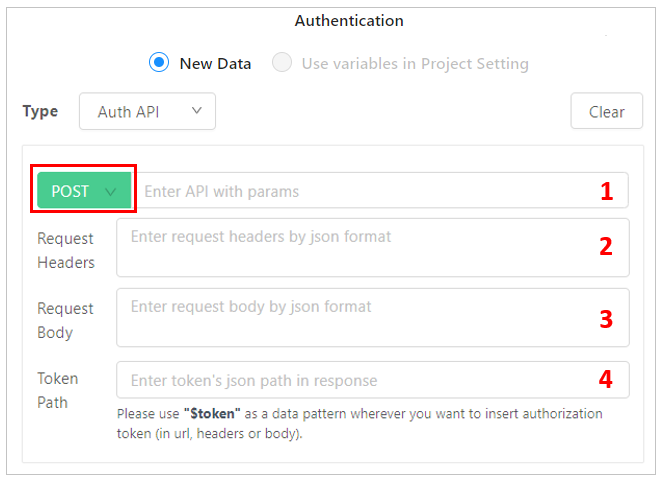
Authentication API (POST) -
Select either the POST or GET method (*)
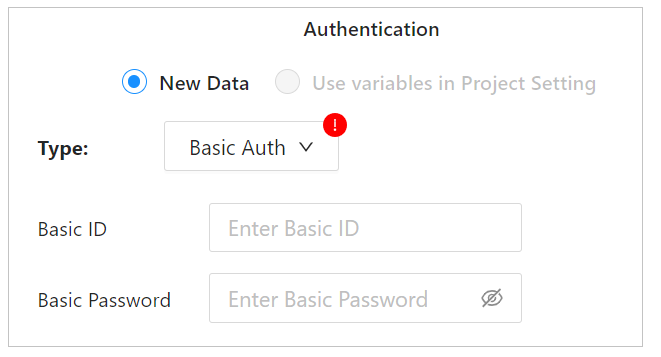
Authentication
Authentication
AWS Cognito Authentication