Import Test Cases
You can import test cases using a csv file. The format of the csv file must match the file format of the downloaded test cases.
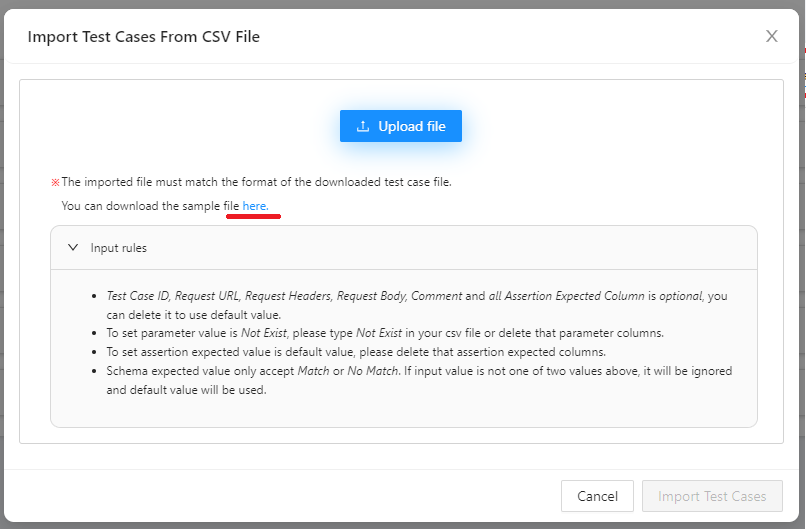
You can also download the sample files.
Attention:
- Test Case ID, Request URL, Request Headers, Request Body, Comment and all Assertion Expected Column is optional, you can delete it to use default value.
- To set parameter value is Not Exist, please type Not Exist in your csv file or delete that parameter columns.
- To set assertion expected value is default value, please delete that assertion expected columns.
- Schema expected value only accept Match or No Match. If input value is not one of two values above, it will be ignored and default value will be used.
Import steps:
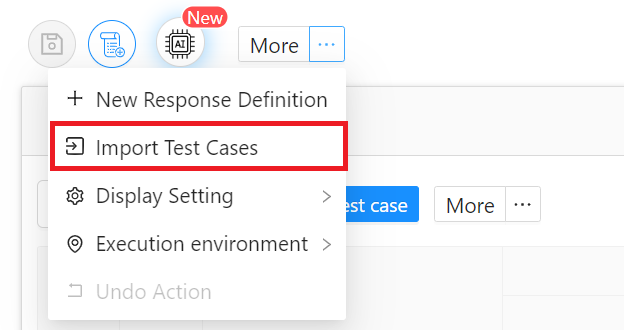
- Click button 「Import Test Cases」
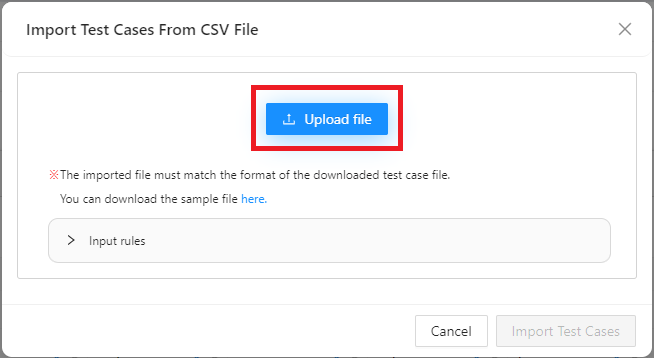
- Click button 「Upload」
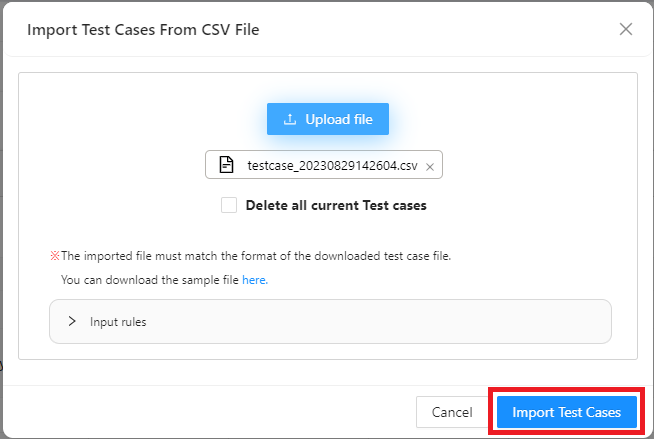
- Choose csv file
- Click button 「Import Test Cases」 in import modal